KayaPDF: Mobile PDF reading, scanning and signing for professionals
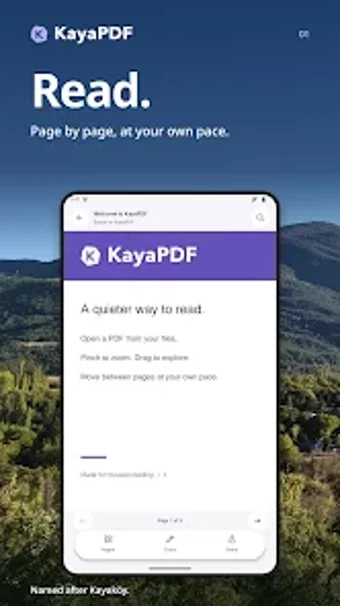
KayaPDF: PDF Reader from Cryptosam LLC is an Android app designed for document review, mobile scanning, and secure signing by mobile professionals and students. The app combines reading, an integrated scanner, and on-device OCR to convert paper into searchable documents without an account. It also offers annotation, page management, and export as images or new PDFs. This makes it suitable for people who need private, offline document workflows on phones and tablets.
What is KayaPDF used for in everyday work?
The app serves as a single mobile hub for turning paper into managed digital documents, handling review, signature collection, and archiving. It supports an integrated document scanner, on-device OCR for searchable text, and form-filling capabilities, so a consultant or student can capture receipts, convert them to searchable pages, and keep them organised on the device without cloud upload.
What can you do with the app during a document workflow?
The app lets users annotate with highlighting, hand-drawing and sticky notes, reorder or extract pages, and export selections as JPG, PNG, or a new PDF. Page management and export options enable tasks such as creating a contract packet from several scans, producing image assets for reports, or assembling lecture notes into a single PDF for distribution.
Is the app approachable for mobile professionals and students?
The app requires no account registration, so setup is immediate for lone operators and small teams. It supports pressure-sensitive styluses for handwriting and offers a library with backup and recovery, which helps reduce onboarding friction for users who rely on handwritten annotations or who switch devices.
How does KayaPDF handle compatibility and offline privacy?
The app processes OCR on the device and prioritises local handling of documents, keeping data off external servers. It exports common image and PDF outputs, and supports reading features like continuous scrolling and text search across documents, which preserves fidelity when sharing outputs with other desktop or mobile office tools.
KayaPDF suits mobile professionals who prioritise privacy and all-in-one document handling
The app is a practical choice for consultants, students, and small teams who need to capture, edit, and sign documents on Android without creating an account. Expect a capable mobile workflow tool that favours local processing and direct file exports; those who need dedicated desktop integration or enterprise deployment may require a different solution.